0
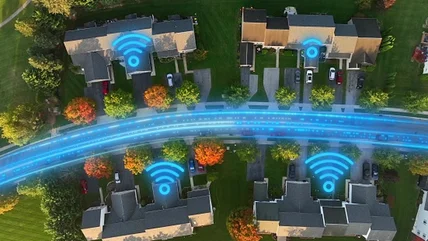
Wired vs. wireless internet: Which should you choose for your home?
Wired and wireless internet are both ways that ISPs deliver service to your home, but one isn't necessarily superior to the other.
Read More

Wired and wireless internet are both ways that ISPs deliver service to your home, but one isn't necessarily superior to the other.
Read MoreGiving away or recycling your old laptop is great, but you need to make sure all your data is fully removed before it finds a new home.
Read MoreThese ports are often part of a built-in USB hub, letting you keep desk accessories connected to the monitor instead of occupying ports on your computer.
Read MoreThe AP30 Music Boy is just the latest example of "dumb" tech's resurgence.
Read MoreIf your PC is slowing down or not behaving as usual, it's worth running through these tips to see if you have malware.
Read MoreSmart home automation is more versatile than ever with Home Assistant and a Raspberry Pi. Check out what they can do.
Read MoreActive noise cancellation makes headphones much better, but you should know how it works and what the drawbacks are as well.
Read MoreStuck pixels don't have to be a death sentence for your laptop, as there are several options that can bring them back to life.
Read MoreYou're probably better off buying a basic gaming PC than messing with an eGPU.
Read MoreThe new version of this keyboard-like thingamajig will have some small improvements.
Read MoreFlash drives can vary wildly in cost. While a cheap drive will get the job done, a premium one offers extra sped and features that might be worth the money.
Read MoreUSB-A and USB-C flash drives both have their purposes. USB-C is increasingly common, but USB-A isn't going anywhere yet.
Read MoreYou'll probably want to avoid Intel-powered MacBooks, but Apple Silicon models are solid.
Read MoreOld hard drives can store backed-up data or be saved for future use, but where you keep them and how you store them matters a lot.
Read MoreCurved monitors are fabulous for immersive gaming, usually, but there are some situations where a flat panel is best.
Read MoreMagSafe charging has become the standard for modern iPhones and MacBooks, but there are some downsides to charging this way.
Read MoreGemini Intelligence is at the heart of the operating system powering Google's upcoming laptops.
Read MoreYour USB-C port can do a lot, but it won't necessarily be able to transfer video. Understanding what yours can do makes it easy to choose the best video option.
Read MoreThis is a setting you probably won't want to mess around with.
Read MoreRunning an Ethernet cable can provide faster speeds than Wi-Fi in many cases, but the length and type of cable make a difference.
Read MoreIf you have a USB port on the back of your router and don't know what to do with it, try some of these straightforward options.
Read MoreYour trackpad probably covers a part of your laptop that can become a fire hazard in a hurry, so if your trackpad is shifting, it needs immediate attention.
Read MoreIf you only need ports for a few low-power peripherals or a single external monitor, you may not need a docking station at all.
Read MoreExternal SSDs are faster than HDDs, but if you need cost-effective backups or larger capacities, a hard drive may be a better choice for you.
Read MoreIt seems like routers keep growing more antennas each year. Is this a marketing gimmick, or is there a good reason?
Read MoreThese issues may appear similar, but there's an easy way to tell them apart.
Read MoreThe various Ethernet ports on your router can serve different purposes, depending on the model. Thankfully, it's not hard to discern what they're for.
Read More