Engadget
  • Latest
  • News
    • AI
    • Apps
    • Computing
    • Mobile
    • Social Media
    • EVs & Transportation
  • Reviews
    • Smartphones
    • Laptops & PCs
    • Gaming
    • Headphones
    • Wearables
    • Photography
    • Tablets
    • Home
  • Buying Guides
    • Laptops
    • Headphones
    • Smart Home
    • Gaming
    • Best Gaming Handhelds
    • Best E-Ink Tablets
    • Best Power Banks
    • Best Fast Chargers
    • Best Live TV Streaming
    • Best Wireless Earbuds
  • Gaming
    • Nintendo
    • PC
    • PlayStation
    • Xbox
  • Big Tech
    • Amazon
    • Apple
    • Google
    • Meta
    • Microsoft
    • Samsung
  • Entertainment
    • TV & Movies
    • Streaming
  • Cybersecurity
    • VPN
  • Wearables
  • Tomorrow
    • Science
    • Space
    • Robotics
  • Newsletter
  • About
  • Editorial Policies
  • No-AI Writing Policy
  • Reviews Policy
  • Podcast
  • Archive
  • Privacy Policy
  • Terms of Use
© 2026 Static Media. All Rights Reserved
Engadget
Engadget
Laptops
  • Latest
  • News
    • AI
    • Apps
    • Computing
    • Mobile
    • Social Media
    • EVs & Transportation
  • Reviews
    • Smartphones
    • Laptops & PCs
    • Gaming
    • Headphones
    • Wearables
    • Photography
    • Tablets
    • Home
  • Buying Guides
    • Laptops
    • Headphones
    • Smart Home
    • Gaming
    • Best Gaming Handhelds
    • Best E-Ink Tablets
    • Best Power Banks
    • Best Fast Chargers
    • Best Live TV Streaming
    • Best Wireless Earbuds
  • Gaming
    • Nintendo
    • PC
    • PlayStation
    • Xbox
  • Big Tech
    • Amazon
    • Apple
    • Google
    • Meta
    • Microsoft
    • Samsung
  • Entertainment
    • TV & Movies
    • Streaming
  • Cybersecurity
    • VPN
  • Wearables
  • Tomorrow
    • Science
    • Space
    • Robotics
  • Newsletter

Laptops

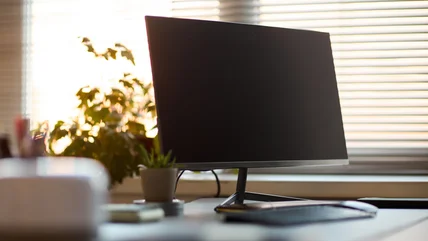
  • Computer monitor, keyboard and plant on a desk in front of a window.
    1

    Mini PC vs. laptop: Which is better for your home office?

    Mini PCs offer a convenient form factor, but a laptop is ready to go with you anywhere. There's no perfect answer.

    By Husain Parvez 2 days ago Read More
  • A row of demo TVs from LG, Samsung, and more in a retail shop.
    7

    Are extended warranties on TVs and laptops ever really worth it?

    TV and laptop repairs can get expensive in a hurry, so getting a warranty sounds smart. But is it really?

    By Roger Fingas 2 days ago Read More
  • Man holding a Chromebook.
    0

    How to turn on Developer Mode on your Chromebook

    Enabling Developer Mode on a Chromebook unlocks new capabilities and app options. Here's where to find it.

    By Gabriela Vătu 3 days ago Read More
  • An M4 Mac mini reflecting off a white marble table.
    9

    The reason the Mac mini is cheaper than a MacBook

    If you're trying to decide between a MacBook and a Mac mini, you might be interested to know why there's a price difference.

    By Roger Fingas 3 days ago Read More
  • Close-up of a laptop's built-in webcam.
    0

    How to improve your laptop's webcam quality

    Your laptop's webcam is not usually an impressive piece of hardware, but you can help make up for its shortcomings.

    By Filipe Espósito 4 days ago Read More
  • Google Docs logo on a laptop.
    1

    One missing Google Docs feature has a pretty easy workaround

    Dark mode is available on the Google Docs mobile app, but not the web version. Luckily, there are some ways to achieve dark mode on the web anyway.

    By Jack Peachey 5 days ago Read More
  • Microsoft's logo at its New York City Store.
    3

    What to expect at Microsoft's Windows, Surface and AI event on October 7

    We'll definitely hear about the NVIDIA RTX Spark-powered Surface Laptop Ultra, but what else?

    By Devindra Hardawar 6 days ago Read More
  • A laptop in a room.
    4

    HP's Omnibook 5 features an OLED screen and costs $699

    It also lasts up to 42 hours on a single charge.

    By Lawrence Bonk 7 days ago Read More
  • A Mac with the mouse highlighting the App Store icon in the Dock.
    6

    How to turn your old MacBook into a home NAS server

    If you have a MacBook sitting around collecting dust, you can give it new life by turning it into a home NAS server. Here's how to get started.

    By Jonny Evans 10 days ago Read More
  • Windows and Android logos on blue and green squares.
    6

    How to use Android apps on your Windows PC (and why you might want to)

    With the right software, you can run Android apps on your Windows PC. Here's why you may want to and how to get it set up on your own computer.

    By Max Miller 11 days ago Read More
  • Hand plugging a 65W power bank into a laptop charging port.
    1

    How powerful of a power bank do you need to safely charge a laptop?

    A power bank is more than its capacity. You also need to know how fast it can deliver power so your laptop doesn't drain while it's connected.

    By Thomas Godwin 11 days ago Read More
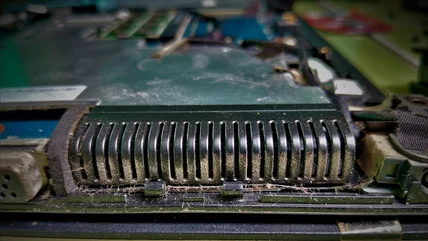
  • Dust built up on the heat-sink fins inside a laptop.
    1

    How to properly clean your laptop fan

    Start with the vents before you reach for a screwdriver.

    By Husain Parvez 12 days ago Read More
  • A hand closing a MacBook laptop at a desk.
    3

    Sleep mode vs. shutdown: Which is better to use daily for your MacBook?

    Whether you do a full shutdown or just put your MacBook to sleep should change with the circumstances we discuss here.

    By Ben Stegner 12 days ago Read More
  • Login fields overlayed over a person's hands typing on keyboard.
    6

    The pros and cons of using a password manager over an authenticator app

    There's no perfect solution, but different authentication methods can work better in some circumstances than others.

    By Gabriela Vătu 15 days ago Read More
  • A woman playing a space sim on a gaming laptop.
    1

    Why is your laptop fan so loud?

    Laptop fans do an important job, but sometimes they get annoyingly loud. Here's what it might mean and whether you should be concerned.

    By Dave Meikleham 16 days ago Read More
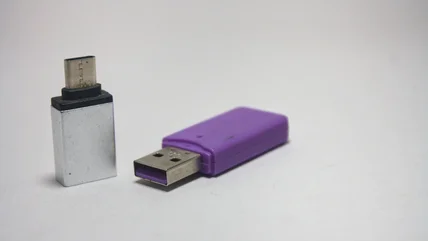
  • Two USB-A to C adapters, one in silver and one in purple.
    2

    How to choose the right USB to USB-C adapter

    Getting an adapter can open up a world of connectivity and charging options, but specs and brand matter quite a lot. Here's what to look for.

    By Gabriela Vătu 17 days ago Read More
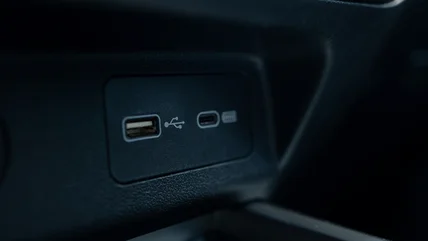
  • A USB-A and USB-C port side-by-side in a vehicle.
    4

    USB-A vs. USB-C: What's the difference between them?

    USB-C did away with the annoying requirement to plug in a cable right side up, but USB-A and USB-C have other major differences.

    By Ben Stegner 17 days ago Read More
  • Dell's XPS Googlebook with an Android phone and Pixel Buds.
    25

    Google's pitch for Googlebooks: A laptop that works better with your Android phone

    The first Googlebooks are up for pre-order today and they arrive on October 4.

    By Nathan Ingraham 17 days ago Read More
  • A hand holding a magnifying glass showing a red warning symbol, with
    4

    The best way to check your PC for malware

    If your PC is slowing down or not behaving as usual, it's worth running through these tips to see if you have malware.

    By Ben Stegner 19 days ago Read More
  • A man looking concerned sitting at a laptop, throwing his hands in the air.
    0

    What causes a stuck pixel on your laptop and can it be fixed?

    Stuck pixels don't have to be a death sentence for your laptop, as there are several options that can bring them back to life.

    By Deven McClure 19 days ago Read More
  • MacBook Pro with an M2, open on a desk.
    7

    Are older MacBooks still worth buying in 2026?

    You'll probably want to avoid Intel-powered MacBooks, but Apple Silicon models are solid.

    By Thomas Godwin 23 days ago Read More
  • Charging a MacBook using a MagSafe cable.
    7

    The pros and cons of using a MagSafe charger

    MagSafe charging has become the standard for modern iPhones and MacBooks, but there are some downsides to charging this way.

    By Adnan Ahmed 23 days ago Read More
  • The corner of a laptop keyboard with a
    12

    Pre-orders for the Android-based Googlebook laptops open on September 21

    Gemini Intelligence is at the heart of the operating system powering Google's upcoming laptops.

    By Kris Holt 24 days ago Read More
  • A hand touching a laptop trackpad.
    0

    If your laptop trackpad is popping out, stop using it immediately

    Your trackpad probably covers a part of your laptop that can become a fire hazard in a hurry, so if your trackpad is shifting, it needs immediate attention.

    By Filipe Espósito 25 days ago Read More
  • A hand gripping a large number of USB cords.
    1

    Here's what you can use instead of a docking station

    If you only need ports for a few low-power peripherals or a single external monitor, you may not need a docking station at all.

    By Deven McClure 25 days ago Read More
  • Person using Windows 11 laptop on a table.
    0

    Get the best battery life for your Windows laptop by changing these settings

    Windows laptops aren't known for having excellent battery life, but a lot of that is because of unoptimized settings. Change these for big improvements.

    By Max Miller 26 days ago Read More
  • A hand on a MacBook Air trackpad.
    3

    How to right-click on a MacBook

    Right-clicking, or "secondary clicking," has many uses, but it's not always obvious how to do it on a MacBook.

    By Deven McClure 30 days ago Read More
About Archive Privacy Policy
© 2026 Static Media® Engadget.com All Rights Reserved
More From Static Media
JalopnikTVLineBGRSciencingSlashGear
Engadget