

Google Pixel Tag review: Simple but effective
Google’s take on Apple’s AirTag is a basic but still valuable tool for Android users.
- Super easy to setup and use
- Replaceable battery
- Handy built-in speaker
- IP67 dust and water resistance
- No built-in keychain ring
- Not a ton of features
We may receive a commission on purchases made from links.
There was a time in my life when I thought tracking gadgets were a waste of resources. But after having kids and getting older, I've come around on the category. Sometimes it's just nice to hand off the mental load of keeping tabs on various objects or to have a better way of finding misplaced items that isn't just retracing your footsteps. It's not a terribly complex task, but if a tracker isn't reliable and easy to use, it won't be much help when you need it most. With the new $30 Pixel Tag, Google has created its version of Apple's AirTag to give Android phone users a simple and straightforward way of finding lost items and preventing the fear of things going missing in the first place.
Design
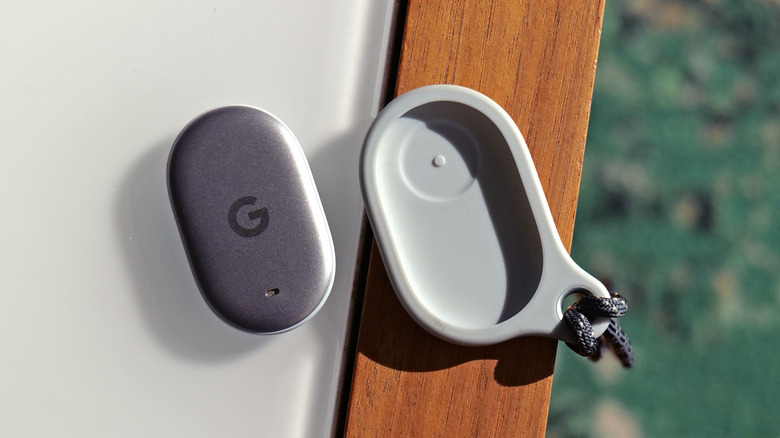
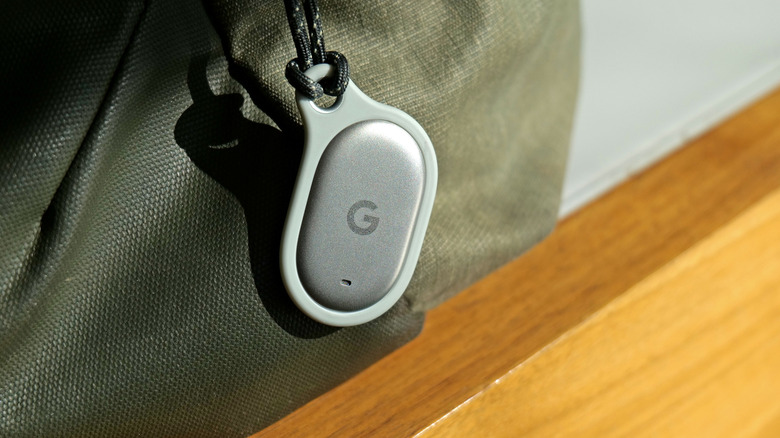
There's not much going on with the Pixel Tag's exterior. It features a pill-shaped plastic and metal housing that's about the size and weight of two quarters arranged side by side. There's a tiny opening in front for its built-in speaker and around back there's a removable cover that gives you access to its replaceable coin-cell battery. Right below the cover, there's also a hidden button that you can double press to ring your phone, but only if you remember to opt-in to that feature inside Google's Find Hub app.
The whole thing is pretty sleek and it's small enough that you can stash it almost anywhere, allowing you to add tracking capabilities to all sorts of things like bags, wallets, keys or even water bottles (just remember not to put it in the dishwasher). It even has an IP67 rating for dust and water resistance, so you won't need to worry about how it will fare in harsher outdoor conditions. Unfortunately, there isn't a small keyring loop on the device itself, so unless the object you want to track has a small pocket for holding the Pixel Tag, you may need to resort to third-party cases (like the one from Bellroy I've been using) in order to attach it to your valuables.
Setup and features
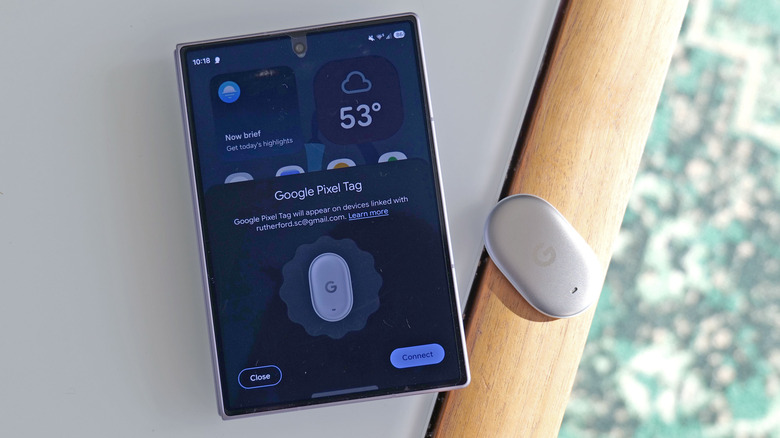
Initial setup for the Pixel Tag couldn't be easier. All you have to do is put it next to your phone and remove the little tab sticking out from behind its battery cover. This turns it on and after that, you'll see a little notification on your phone to finish the onboarding process, which includes pointing you to the Play Store to download the Find Hub app (assuming it isn't installed already).
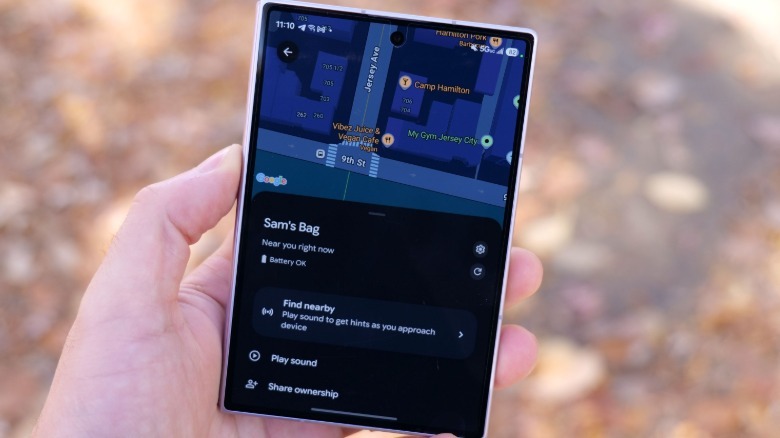
From there, you can give the Pixel Tag a proper name, specify what it's going to be tracking and then you're pretty much good to go. If the tracker is attached to an item used by multiple people, you have the option of sharing ownership inside the app, so everyone can see where it is. You can also tell the app to notify you when you leave something behind, to prevent you from getting all the way home before realizing that your bag is still, say, at the restaurant. And naturally, there's also a handy map that will show you exactly where the tracker was last seen, powered by Google's Find Hub network and the millions of participating Android devices that help the Pixel Tag triangulate its location.
In the event that your Pixel Tag and the object it's attached to go missing, you can press a button in the app to make the tracker play a sound. Alternatively, you can also hit the Find Nearby function to launch a mode that will help you hone in on the device's location. For people with phones that support ultra wideband, you'll sometimes even get an extra level of accuracy that includes little arrows on the screen to prevent your search from turning into a game of Hot or Cold.
 Sam Rutherford for Engadget
That said, it's not 100 percent bulletproof, because I noticed that after I asked my son to hide the Pixel Tag somewhere in our home, I wasn't always able to see the on-screen arrows (or sometimes they would be pointing the wrong direction) when searching for it, which I attribute to stuff like walls and furniture causing interference with its tracking capabilities. Still, it was always good enough to get me in the right ballpark and from there I simply had it play a sound to finally nail down the tag's position.
For further testing, I asked my wife to stash the tag in her purse while she went to a doctor's appointment and it worked great then too, even over much longer distances. However, I did notice that Google has included some welcome privacy features, which includes the tag giving her phone a notification that there might be a device following her. I also discovered that when she was in a car, the Pixel Tag's location was much slower to update in real time, but in my view, that's a feature not a bug. This thing isn't meant to spy on other people, so I appreciate that there are built-in precautions for anyone trying to use it for that.
And if you do genuinely lose the tracker (and presumably the item it's attached to), you can mark it as lost, allowing you to pin a phone number, message and an email, so that if a good samaritan finds it, they'll be able to see that info on their phone and have the ability to reach out and return it.
Battery life
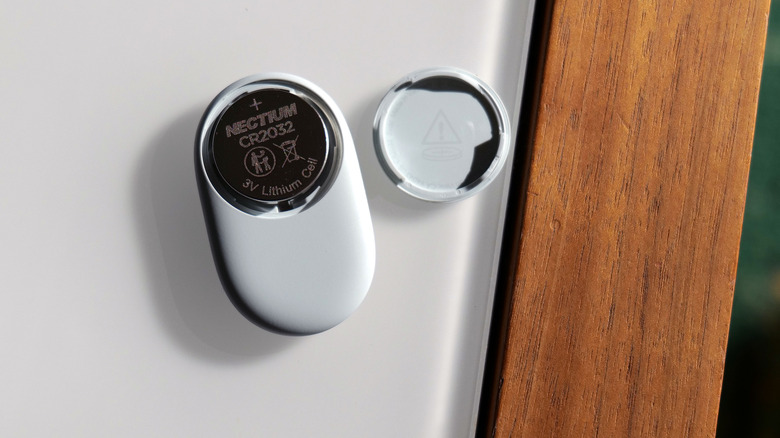
The Pixel Tag has been on sale for less than a month, so there's no real way to properly test its longevity at this time. But Google says its single coin cell provides up to a full year of battery life, which is similar to an AirTag though a bit less than Samsung's latest Galaxy SmartTag 3 (550 days in normal mode). Thankfully, if it does run out of juice, you don't need to throw it away as you can easily replace its lone CR2032 cell.
Wrap-up
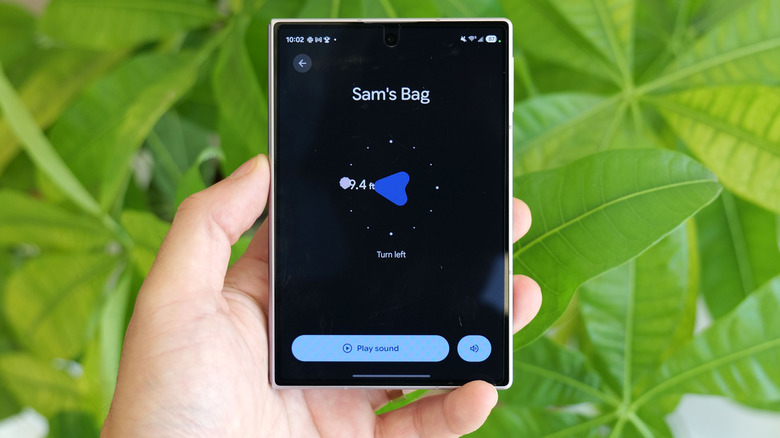
The Pixel Tag isn't super flashy, but it does everything you'd expect from a low-cost tracker. You can extend ownership with family members to make keeping track of shared items a breeze and Google's Find Hub network provides an accurate way of locating something no matter where it is. If something gets misplaced, you can easily track it down via the app or just by telling the tag to play a sound. It also works in reverse too, because you can just press the button on its back to ring your handset, which can be really helpful when your toddler decides it's time to play hide and seek with daddy's phone. Its biggest shortcoming is when you compare it to Samsung's Galaxy SmartTag 3, which has an extra level of activity tracking for keeping tabs on pets and a deeper level of support for geofencing. But for all the Android device users out there, if all you want is a simple, no-nonsense tracker for quickly locating your gear, the Pixel Tag is exactly what you need. I just wish there was an easier way to attach it to things without needing extra accessories.