

Apple TV 4K (4th gen) review: Still great, but drastically more expensive
The $150 price increase is hard to swallow.
- A19 chip delivers speedy performance
- Find My Precision Finding for the remote
- Smart home hub functionality
- HomePod surround sound
- Built-in mics for Siri
- Significantly more expensive
- Cheaper Wi-Fi-only model is gone
The Apple TV 4K has been our pick for the best premium streaming device since the third-gen model arrived in 2022. In terms of pure performance, it was undoubtedly the best you could buy, thanks to the combination of picture quality, speed and features you wouldn't find on any of the more affordable competition. That was true four years ago and it's still true now.
Unfortunately, the global tech landscape has changed massively over the last two years. Nearly every device is more expensive, especially if it needs RAM or its own processor. Apple's streaming box didn't escape that fate. For the 4th-generation Apple TV 4K, Apple made big upgrades to performance and added a slew of new features, and of course, it carved out a more prominent place for Siri AI in your living room. The compact streaming box is a lot more expensive than the previous generation cost at launch, though, and the new $299 price tag certainly dulls its shine.
What's new on (and good about) the fourth-gen Apple TV 4K?
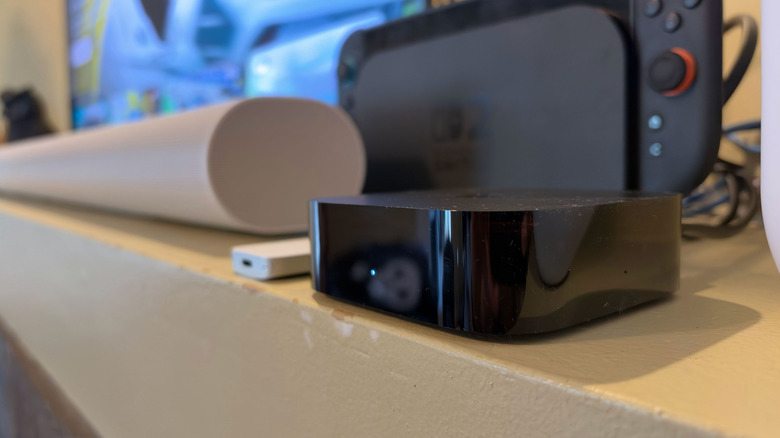
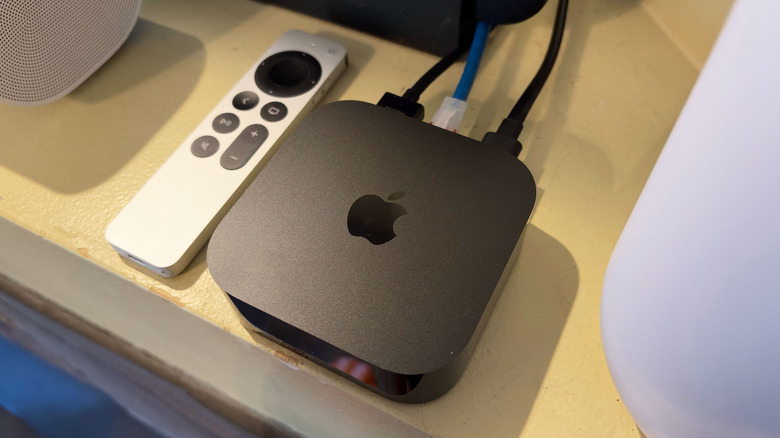
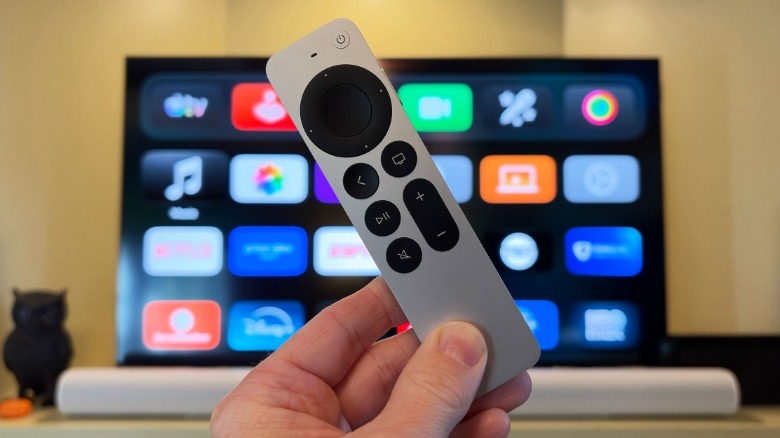
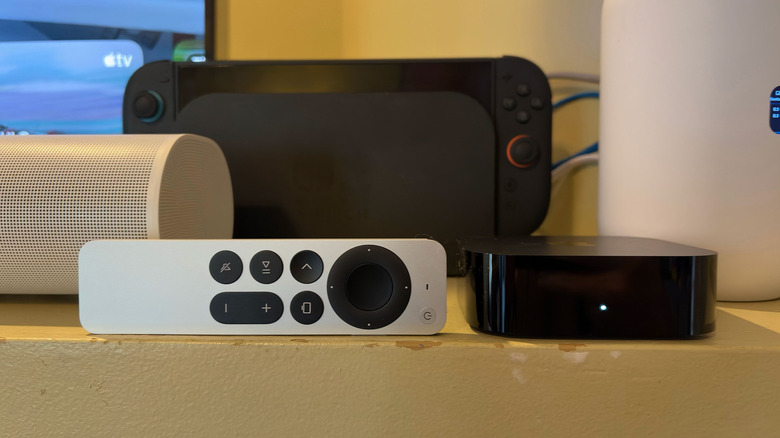
If you were hoping for a new design, there are only subtle tweaks to report. The most evident is that Apple moved the light on the front of the box from the right to the center. If you dive into the spec sheets, you'll discover the new model is slightly larger than the previous version. I'm talking 0.24mm bigger in width and depth, and 3 grams heavier. You'll be forgiven for not noticing. The Siri Remote, however, is exactly the same size at 1.4 inches x 5.4 inches x 0.36 inches.
Apple upgraded the processor from the A15 Bionic to the A19 chip. In iPhone terms, that would be like going from an iPhone 13 to an iPhone 17, so the computing power increase here is significant. The company says that the A19 chip is capable of 50 percent faster CPU performance and up to 2x faster GPU performance than the previous Apple TV 4K. I don't have the tools to quantifiably check those claims, but I can tell you the device is super responsive, navigation is speedy and overall the UI is noticeably more fluid. Plus, the A19 delivers a dedicated AV1 decoder for HDR rendering efficiency.
Of course, the A19 offers a boost to Siri AI, which is playing a bigger role in the living room thanks to the new Apple TV 4K. For starters, the streaming box now has three far-field microphones built in, so you no longer have to use the remote to interact with the assistant. You can simply speak your queries while watching TV and Siri is off and running. Like before, Apple's AI can help with finding and playing live TV, movies, shows and sports from your go-to apps. But with Siri's recently expanded capabilities, it can now pull in personal context from Messages and other apps too. So when you want Siri to "play the show Jack texted me about," the assistant knows just what to do. Additionally, audio captured from the far-field mics is processed within the Secure Exclave on the A19, so neither the apps, the OS nor Apple get access to any of the data.
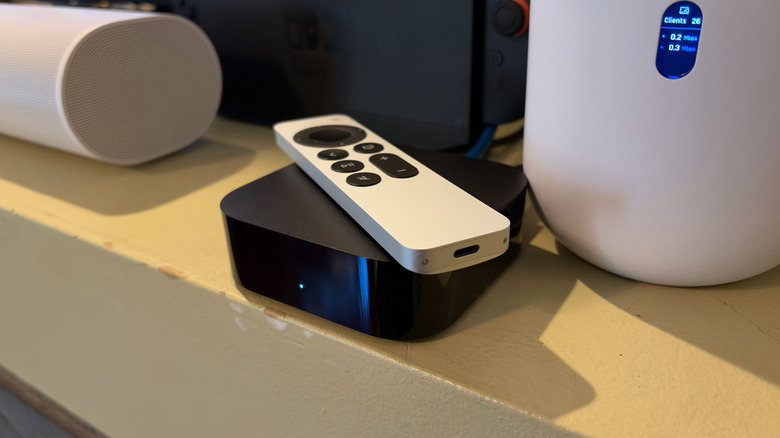
The new feature that will get the most use at my house is Precision Finding for the remote in the Find My app. I have two kids who are constantly leaving the remote in undisclosed locations, so the added ability to play a sound has already greatly reduced the amount of time I spend searching for it. And when I can't hear it, Precision Finding is better than the previous method for locating the remote with an iPhone. With the built-in mics for Siri though, a lost remote is much less frustrating since you can just tell the Apple TV 4K what to do.
There's also a noteworthy audio upgrade on the Apple TV 4K. Before, you could only use two HomePod or HomePod mini speakers as a stereo pair. Now you can use up to four of those, so long as they're second-gen HomePods or HomePod mini 2s, for a more complete home theater surround sound system. The only additional requirement is that the two front speakers and two rear speakers have to match. So you can have two HomePods in the front and two HomePod mini 2s in the back, which is the configuration I tested. If you have four of the same speaker, that works too.
Once you have all of the HomePods in place, you'll hear a series of tones as the Apple TV 4K locates the speakers and tunes the audio for the room. I suspected that a combination of HomePods and HomePod minis is the ideal setup and my testing proved me right. The HomePods provide the added bass needed for action scenes, or really just for a fuller soundstage most TV viewing will eventually require. The HomePod minis can't do that on their own, but they do well as rear speakers, providing dimensional backup to the larger speakers at the front. I think having four HomePods would be overkill, not to mention expensive. I also heard a four-mini configuration during a demo last month, and while it's certainly a boost compared to TV speakers, it's not nearly as potent as the arrangement I tested at home.
I'll also note that there's a feature called Whole Room Audio that will be great for parties and gatherings. This allows for all four speakers to play the same sounds, rather than the fragments each might deliver in a surround sound setup. This ensures that everyone hears everything, from vocals to guitars, or even the commentators of an F1 race. Whole Room Audio is also easy to activate as it's accessible from the Speaker Mode option in the Control Center.
Like it has in the past, the new Apple TV 4K can function as a smart home hub. This allows you to control HomeKit and Matter accessories like cameras, locks and thermostats, and Apple says "thousands" of such devices are compatible. Thanks to the HomeKit Secure Video, you can expect secure local processing on the streaming box, which encrypts clips before they're stored in iCloud. Apple Intelligence provides captions for camera feeds and you can control everything from the Control Center.
Siri voice control is available as well, as is the ability to run scenes from the Home app in the Control Center. If you have a HomeKit or Matter compatible camera (I don't), you can get a live view of those in the top right corner of your TV screen. If someone rings the doorbell, you can also choose to be automatically notified on the display you're already looking at. If needed, you can chat with them and unlock the door without leaving your seat.
What's not so good about the new Apple TV 4K?
My biggest complaint about the fourth-gen Apple TV 4K is the price. At $299, this model is $150 more than the equivalent version of its predecessor was at launch. Sure, Apple increased the price of the third-gen Apple TV 4K from $149 to $249 earlier this year, and a lot has happened since that model debuted in 2022. However, even with rising memory and component costs, tacking on another $50 to the already inflated price tag is adding insult to injury. It especially stings when you consider the company actually decreased prices when it launched these models in 2022.
To pour more salt in the wound, Apple got rid of the cheaper Wi-Fi-only option that also offered less storage space (64GB). In 2022, that version of the third-gen Apple TV 4K launched for $129, though it eventually went up to $199 this year. If you'll allow me to dig even deeper into Apple TV 4K history, that $129 model was not only $50 cheaper than the W-Fi-only version before it, but even doubled the 32GB onboard storage. Its original price was a drop from the $179 that the comparative version preceding it cost. Meanwhile, the fourth-gen Apple TV 4K only comes in one configuration and it has 128GB of storage; that's the same capacity as the priciest model of the previous generation.
After living with the Apple TV 4K's new home theater setup with four HomePods, I'm starting to question how many people will actually use it. Not only does it require you to have four of Apple's speakers, but you'll also have to put all four of them in the same space. When you consider one of the primary functions of a HomePod is to serve as a direct line to Siri, permanently putting all four in your living room seems like a waste. Not to mention you'll miss out on multiroom audio and features like Intercom, which are more helpful if your HomePods are spread around the house. After some testing, it seems to me like the quad-Pod speaker arrangement is a neat bonus — something you temporarily pull together for movie night or parties — rather than a substitute for a soundbar or traditional home theater setup.
I have another gripe that is more of a frustration with tvOS as a whole, but it's worth mentioning as it relates to the new Apple TV 4K. Even if you've added the streaming box to the Home app and assigned it to a room, the Home icon won't appear in the Control Center until you've either added a camera or created a Scene. So if you fire up your Apple TV and can't find your non-camera devices, that's probably why.
I appreciate the fact that camera feeds will be the most useful on a TV. But I think it's silly that I have to create a Scene (manually triggered saved settings) in order to see things like a thermostat or lights on a device that's advertised as a "smart home hub." At the very least, I want there to be a shortcut in the Control Center for Rooms I've set up in the Home app on iOS, where I can then access individual devices if needed. I should also mention that tvOS doesn't have a dedicated Home app; everything to do with controlling your smart home requires digging into the Control Center on an Apple TV. Or, of course, you could fire up the full app on your phone.
Wrap-up
In terms of performance, the Apple TV 4K remains the best streaming box you can buy. That's been true for a while now, and the upgrades the company made for this version only cements its position at the top of the premium heap. However, with the current state of global technology, specifically the price of anything that uses RAM or a chip like the A19, Apple's streaming device isn't as easy to recommend as it once was.
If you're rocking with a third-gen model, I'd urge you to stay put. And if you're looking to invest in an Apple TV for the first time, try to hold out for a sale or catch one on the refurbished market. Heck, I'd even keep my eye out for a used third-gen model. Yes, you'll miss out on the newest features in that scenario, including the convenience of an always-listening Siri device that isn't a HomePod, but the core of what makes an Apple TV a great device is still there. And in late 2026, there's something to be said for saving significant money on a tech purchase.