

How to find your iPhone even when it's off
Your iPhone isn't fully lost even when it loses power, but you have to act quickly and make sure it's set up properly.
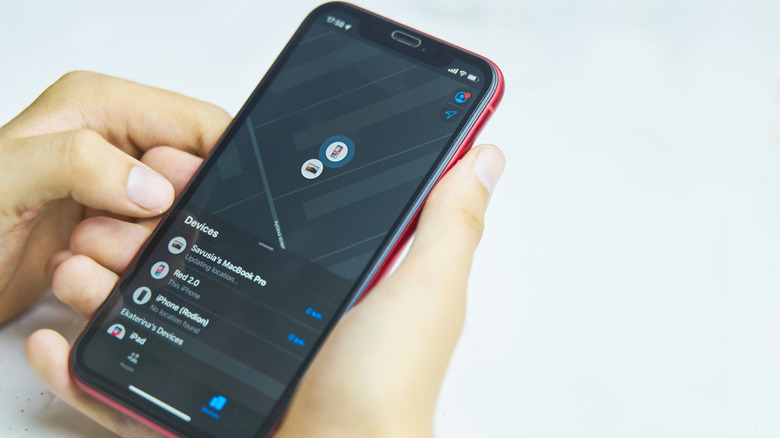
As long as you have Apple's Find My enabled, you can find a lost or stolen iPhone by logging into another device. But how do you locate your phone if its battery dies or someone turns it off?
The answer is nuanced: you may be able to find the phone, but it depends on a few factors. These include how long it's been off, whether the battery is completely dead, and if you have the right Find My settings turned on (not just the feature itself). With a quick enough reaction, you may be able to locate your device, even if it's off.
This is crucial because if you lose your iPhone, its battery will slowly deplete (unless you lose it while it's plugged into a charger). While you can use Find My to force your iPhone to play a sound even if it's in silent mode, it requires power to do this. If someone swipes it, chances are that turning it off is one of the first actions they'll take. And if it's left somewhere, whatever battery life remains will only keep the phone powered on for so long.
Make sure you have the right Find My settings enabled
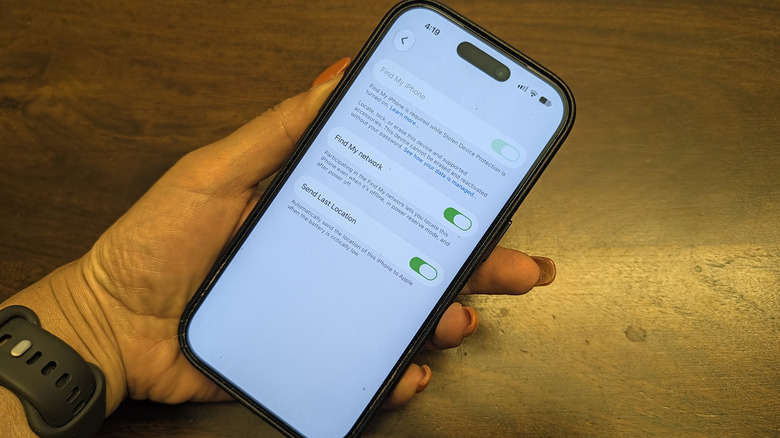
First, you need to understand the difference between Find My and Find My network; they're two connected but separate features. Find My is the app you use to locate your phone, while the Find My network is the crowdsourced Bluetooth system you must enable in order to find your iPhone even if it's offline. And this might not be on by default.
To check these options, go to Settings on your iPhone and select your name at the top. Choose Find My > Find My iPhone, then make sure Find My iPhone and Find My network are both enabled. The first slider is the core functionality, while the second explains that it lets you locate your phone even when it's offline, in Power Reserve mode or turned off.
Under that option is Send Last Location, which you should also turn on if it isn't already. It's a safeguard that has your iPhone sends its location to Apple one last time as soon as the battery reaches a critically low status. Speaking of which, Location Services (Settings > Privacy & Security > Location Services) and Bluetooth (Settings > Bluetooth) need to be enabled, and the iPhone needs to have sent its location to Find My within the last seven days to locate it.
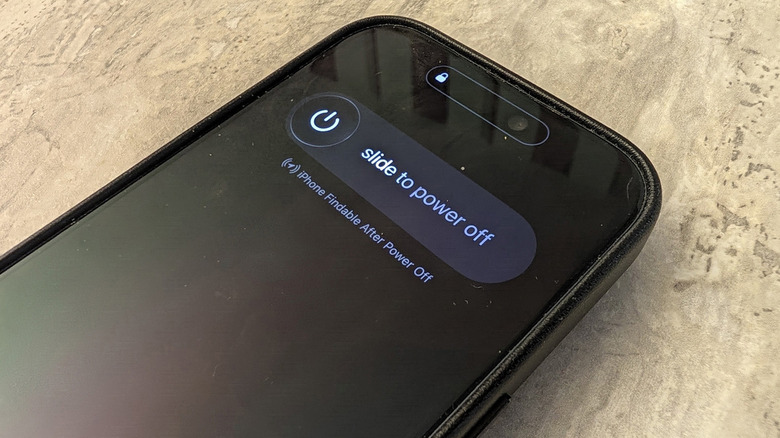
To verify everything is working, swipe down from the top-right of the screen and hold the Power icon in the top-right corner. The power-off screen will pop up, where you should see iPhone Findable After Power Off noted underneath the slider.
If someone steals your phone, they'll likely try to take it offline so it's harder to track. To prevent this, go to Settings > Face ID & Passcode and scroll down to the Allow Access When Locked section. Here, disable Control Center so thieves can't put your phone in airplane mode. They can still turn it off, but that's better than it being disconnected. It's safe to leave Siri enabled, since Siri will ask you to unlock your phone before sensitive actions like enabling airplane mode.
How long can an iPhone be tracked?
Once you've set this up, an iPhone 11 or later with an ultra-wideband chip (which excludes iPhone SE and "e" model devices) running at least iOS 15 is still findable even when turned off. However, the length depends on how it lost power.
If your phone was powered off manually and still has battery, you can locate it for about 24 hours after shutdown. And when the battery drops to zero percent, your phone hasn't completely died yet. Compatible phones with iOS 15.2 or later go into Power Reserve mode. This isn't the same as Low Power Mode that preserves battery life; it's a low-power state that lasts roughly five hours, where key Apple Wallet items like car keys and transit cards are still usable. Your phone achieves this by using its last bit of reserve power to broadcast a low-power Bluetooth signal to other nearby Apple devices, similar to an AirTag.
After this time, you can at least see your phone's last known location for up to seven days in the Find My app. This might be where you left it (at the airport, your office or the local café), or the last place it was when someone took it. From there, you can try to retrieve it. If the phone has been gone for longer than seven days, you will see "no location found" and you're out of luck.
In this case, use the Find My app or website on another device to remotely mark it as lost. Doing so will make it display Lost Mode if someone tries to power it up, and with Stolen Device Protection for iPhone, Face ID or Touch ID is required to turn this off. You can also display a message noting how to contact you to return it if desired.
Selling, trading in or giving away your iPhone is the only time you should turn off Find My. Otherwise, this feature should remain on. It can help you not only find a lost or stolen iPhone, but also the revamped second-gen AirTags and other Find My compatible non-Apple devices. It also prevents a thief from repurposing the device for themselves.