

The differences between Dolby Digital, DTS and Atmos (and which is better)
How to decide which of these surround sound formats is best for your home theater.
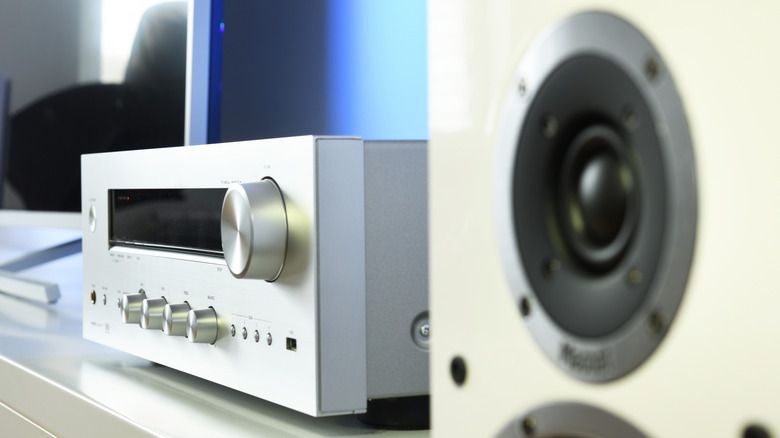
If you've been down the rabbit hole of home theater audio, you've likely encountered the world of surround sound audio formats. The two main players, Dolby and DTS, can be found in some of the best home audio gear and each offer multiple standards, and the differences can be opaque at first blush. So, what are the differences between Dolby Digital and Dolby Atmos, and what makes DTS:X unique compared to DTS?
DTS (short for Digital Theater Systems, the name of the company which owns the technology) has been a longtime competitor to Dolby formats, with Dolby first throwing down the gauntlet with Dolby Digital during the early days of home theater surround sound, and now with Atmos as spatial audio takes the cutting edge. Emerging with the move from analog to digital home video, both Dolby Digital and DTS aimed to deliver theater-style surround sound to the living room. DVDs were able to deliver channel-mixed sound using either format, a major boon for those who had invested in home theater systems.
Those early versions are now outdated. With the rise of 3D, object-based mixing, in which each individual sound within a mix can be tracked spatially rather than directed to channels (adding a Z-axis to the previously 2D mix), we now have Dolby Atmos competing against DTS:X. But while both technologies aim to deliver a similar audio experience, they have different pros and cons, as well as different levels of support that can affect which one is the better choice for you.
Dolby and DTS both offer multiple formats

The holy grail of tech is a single specification to rule them all. But in practice, that almost never happens. To accommodate different use cases, both Dolby and DTS offer multiple formats, and differentiating between them isn't simple. Spatial formats aside (covered further down), the main differences come down to the way each codec compresses the audio stream.
Beginning with traditional, 5.1 and 7.1-channel surround sound, Dolby offers Digital and Digital Plus, respectively. These are both lossy formats, meaning they drop some detail compared to the original audio master. Dolby Digital Plus is the baseline audio format for many streaming services. DTS Digital Surround competes against these, and is also lossy, though slightly less so.
DTS-HD Master Audio and Dolby TrueHD are a step up. Both are bit-perfect, lossless formats, which makes them quite a bit more data-intensive. As a consequence, they are typically included on 4K Blu-Ray discs but not streaming services (this is why audiophiles with expensive home theater setups tend to prefer physical media over streaming). Even so, DTS-HD Master audio is technically more detailed, delivered at up to 24.5 megabits per-second (Mbps) with a sample rate of 96 kHz at 24 bits of depth compared to Dolby TrueHD, which maxes out at 18 Mbps with a sample rate of 96 kHz and 24 bits of depth when in an 8-channel configuration or 192 kHz and 24-bits when in a 6-channel setup. You should not give a single hoot about these differences unless you've invested enough money into your home theater sound system to fund a small startup, but if that's you, DTS-HD is worth pursuing.
Dolby Atmos has strict requirements, while DTS:X adapts
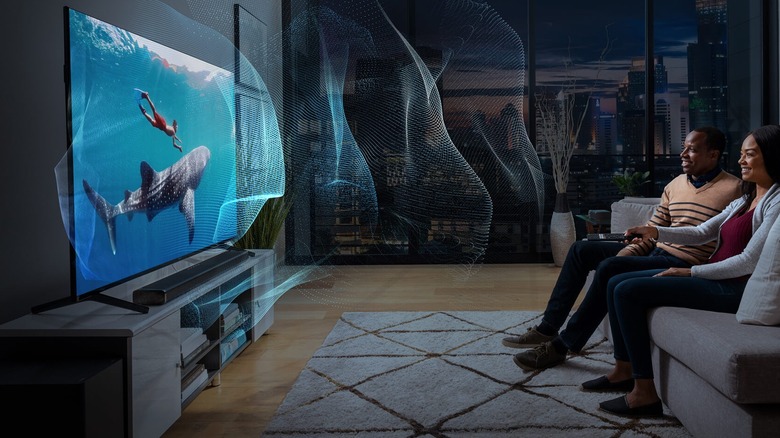
Dolby Atmos has strict technical requirements that can make porting it from a theater to your home challenging. When installing a proper Dolby Atmos speaker setup, you need to mount some of them on the ceiling in order to properly hear the Z-axis of the spatial mix. You'll need at least two and up to four top-mounted speakers for full height imaging. Soundbars with Atmos from companies like Samsung attempt to circumnavigate that requirement by firing some of their sound toward the ceiling and bouncing the audio waves back down to the listener. But as many have found out the hard way, this requires very flat ceilings without any lighting fixtures, and even then, it can disappoint because your soundbar doesn't know how high your ceiling is. Ultimately, Dolby Atmos is the best choice for those who can invest in a fully custom multi-channel speaker arrangement configured to Dolby's precise specifications.
DTS:X is contrastingly adaptable to your needs, partially because it runs on the multi-dimensional audio (MDA) open-source standard —despite itself being a proprietary format. Rather than requiring a specific configuration of speakers, it uses whatever you're already working with and uses an automatic calibration process to map spatial objects within your existing speaker setup. Additionally, it is not as reliant on overhead sound, and can mix down to a 5.1 or 7.1 setup. This can make it a better choice for unconventionally shaped rooms or for those who cannot afford a full 7.1.4 system. It also theoretically supports unlimited audio objects compared to Atmos's 128-object limit. While this all makes it sound like DTS:X is the no-brainer choice, we haven't yet talked about compatibility.
How many speakers do you need for Dolby and DTS formats?
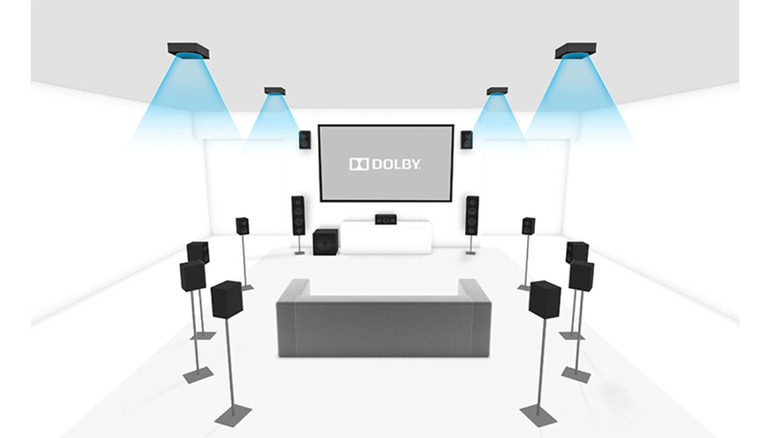
We should briefly touch on speaker configurations, but in general, you can feel free to choose a number of speakers that makes the most sense for you. Both DTS and Dolby formats are highly configurable, though, as alluded to above, Dolby Atmos has relatively stringent requirements. Channel configurations are numerically represented as X.Y.Z, where X represents the number of primary speakers, Y stands for the number of subwoofers, and Z denotes top-mounted height channels. For example, 7.1.4 configurations have seven main speakers, one subwoofer, and four overhead speakers.
Dolby Digital, Digital Plus, and TrueHD are configurable with mono and stereo speakers, as well as 5.1 and 7.1-channel setups. The same goes for DTS and DTS-HD Master Audio.
Dolby Atmos needs at least 3.1.2 channels, which is what you'll get with most Atmos soundbars (covered below in more depth). For a full speaker array, the most common layouts are 5.1.2 and 7.1.4. However, Atmos is configurable up to a whopping 11.1.8 setup, which will map each object in the mix with maximum precision. There are many other supported speaker configurations for Atmos, so head to Dolby's speaker setup guide page to see each of those options.
As mentioned above, DTS:X is channel-agnostic, and can adapt to any speaker arrangement you happen to have. If you want both Atmos and DTS:X, prioritize dialing in your perfect Atmos setup, then configure DTS:X after the fact.
Soundbars, surround sound, and you
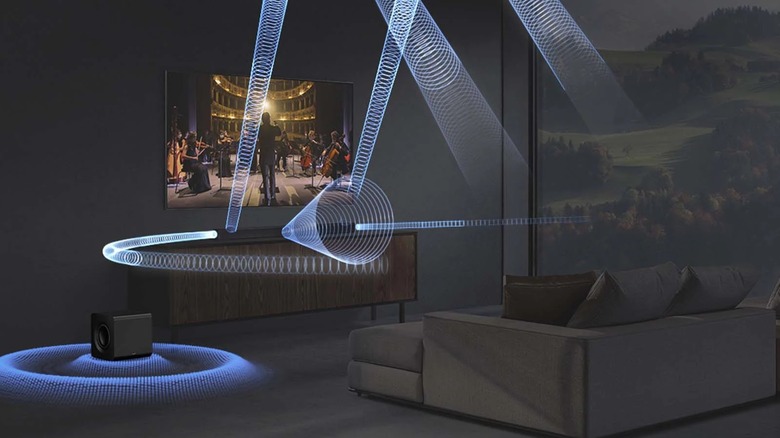
The technical differences between Dolby and DTS formats pertain mainly to multi-channel speaker setups. However, soundbars are far more popular, since you can simply plop them on your TV console and plug them into your HDMI port. Many soundbars market themselves as supporting Dolby and DTS formats, and there's a solid chance you clicked on this article hoping to determine whether you're actually getting the capabilities advertised on the box.
It is self-evidently impossible for a single soundbar to deliver the full-fat experience of being surrounded by speakers, especially when some are supposed to be overhead. Instead, most Dolby Atmos or DTS:X-capable soundbars have a number of drivers which point upward at an angle. In combination with an onboard processor, it blasts sound toward your ceiling, bouncing it back down toward you. It's a clever workaround, but the spatial effect can be fragile.
Object-based audio from a soundbar with Dolby Atmos or DTS:X requires very flat ceilings without any lighting fixtures, and even then, it can disappoint because your soundbar doesn't know how high your ceiling is. If your room has flat ceilings with an average height of around 12 feet and no lights or other fixtures to get in the way, soundbars can deliver much more impressive spatial audio than you might assume. But if you've got vaulted ceilings, ceiling fans, or hanging lamps, you'll struggle to hear the immersive effect. Even a popcorn ceiling can cause the sound waves to disperse rather than reflecting back into your ear. If your room is suitable, position the soundbar so that nothing is above it to block the top-firing drivers, and position your couch the same distance from the soundbar as the soundbar is from the ceiling.
Which surround sound format is best for you?
When it comes to choosing between DTS and Dolby formats, high-resolution physical formats like 4K Blu-Ray often use Dolby Atmos mixing but sometimes use DTS:X. However, if you're primarily streaming movies, you'll be getting Dolby Atmos in most cases. With the exception of Disney+, which supports both formats, major streaming services have almost exclusively embraced Dolby Atmos. That includes Amazon Prime Video, Apple TV+, HBO Max, Netflix, and even Paramount+. In theaters, you'll find Dolby Atmos in auditoriums with Dolby Cinema, versus Imax, which uses DTS sound for home video releases through its Imax Enhanced program (although Imax sound in theaters uses Imax's proprietary audio format).
If you must choose for whatever reason, prioritize Dolby Atmos support in your audio setup for the broadest possible compatibility. The good news is that most consumers do not need to choose between Dolby and DTS formats. The vast majority of audio receivers and soundbars can handle both.
Ultimately, Dolby Atmos reigns supreme due to its hold over the industry. When assembled to Dolby's specifications, Atmos can create a magical experience that makes you feel like you're inside the action, but that illusion can quickly fall apart if you do not or cannot meet its exacting requirements. DTS:X has more limited support but can be much easier to adapt to your room and speaker configuration.